A music tracker for iPhone & iPad

Mobile. Powerful. Fun.

A serious music production system with the soul of a 90’s video game.

Eight tracks, a D-pad and two buttons, no menus. Every operation is a chord you can play with your thumbs — and the whole manual is inside the app.

iPhone and iPad · iOS 17 or later · Universal, one app


What using it looks like

The screen is the interface

Screens are dark, paper is light. These are the real thing — the same dark green screen and grey plastic shell, on every page of the app.

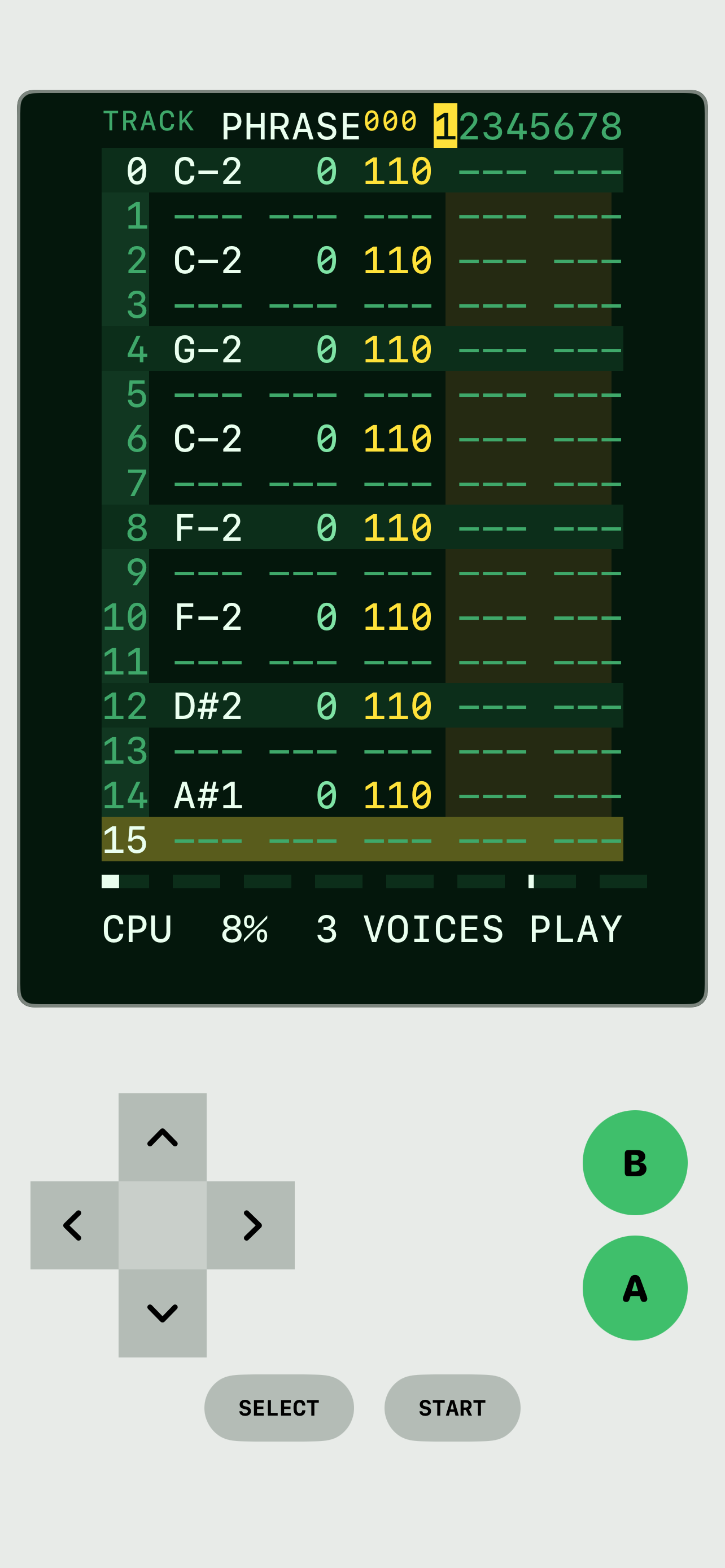
The PHRASE editor: sixteen numbered rows with notes and velocities, on the console screen.
PHRASE — sixteen rows, or fewer, so 6/8 is as easy as 4/4.
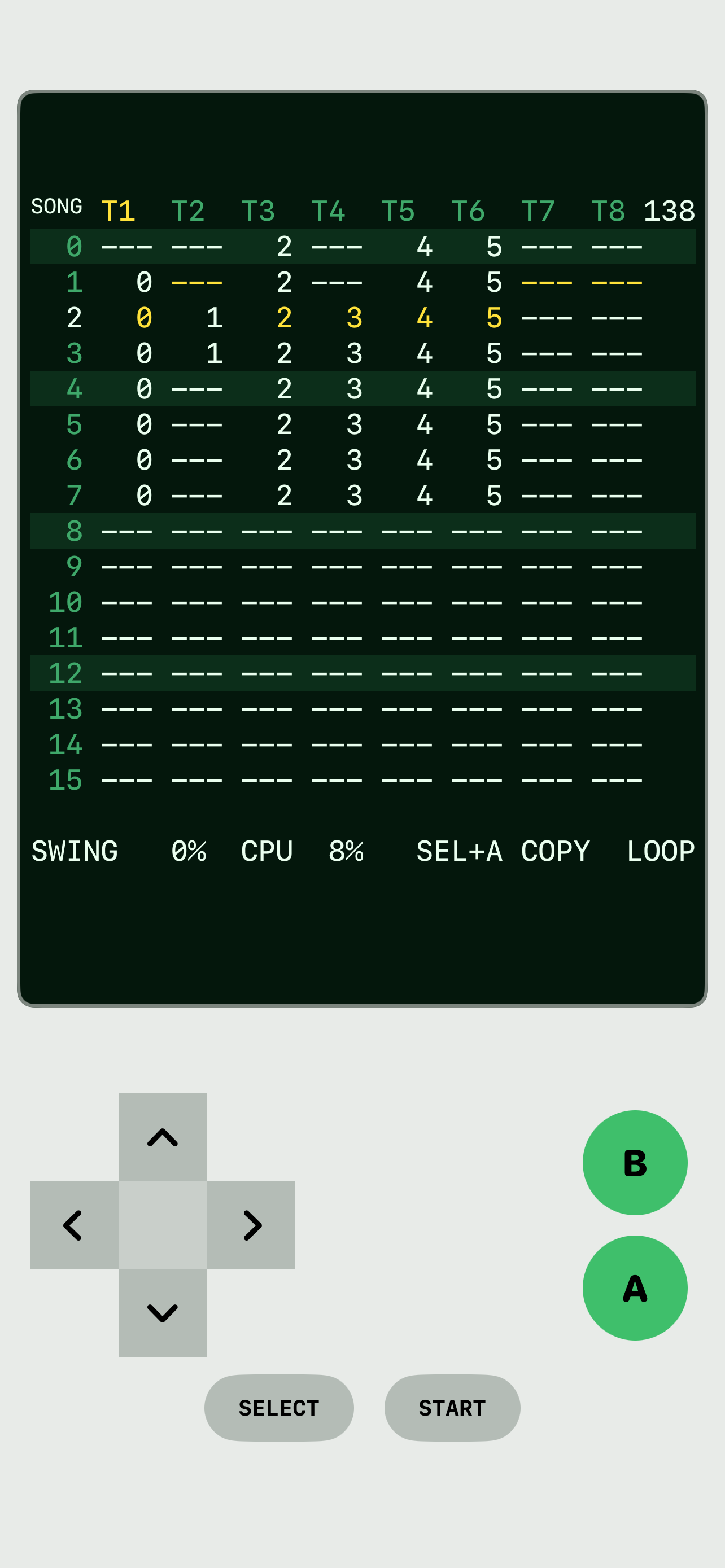
The SONG screen: eight track columns of chains arranged into a song.
SONG — chains of phrases across eight tracks.
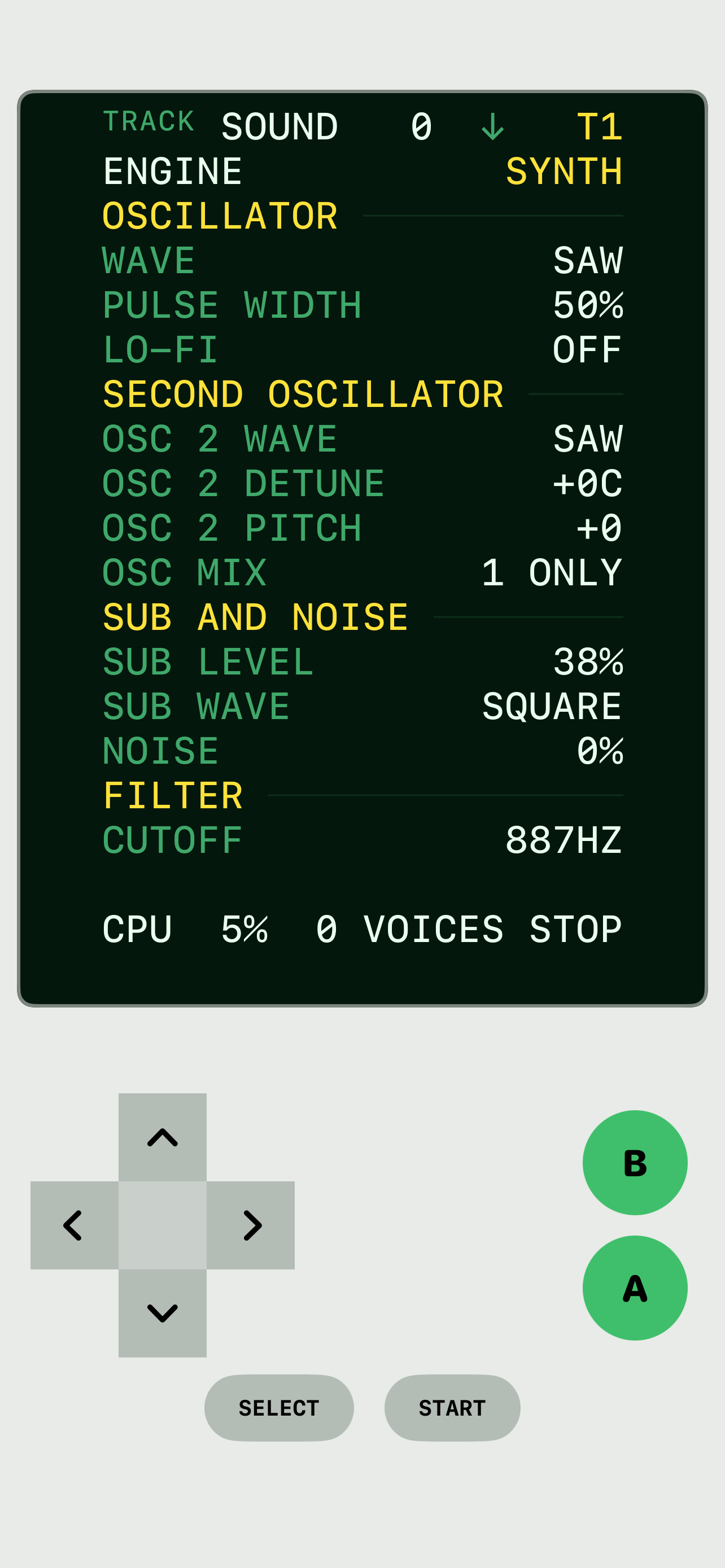
The SOUND engine editor: oscillator, sub, noise and filter parameters for a synth voice.
SOUND — a synth voice per track, edited in full.
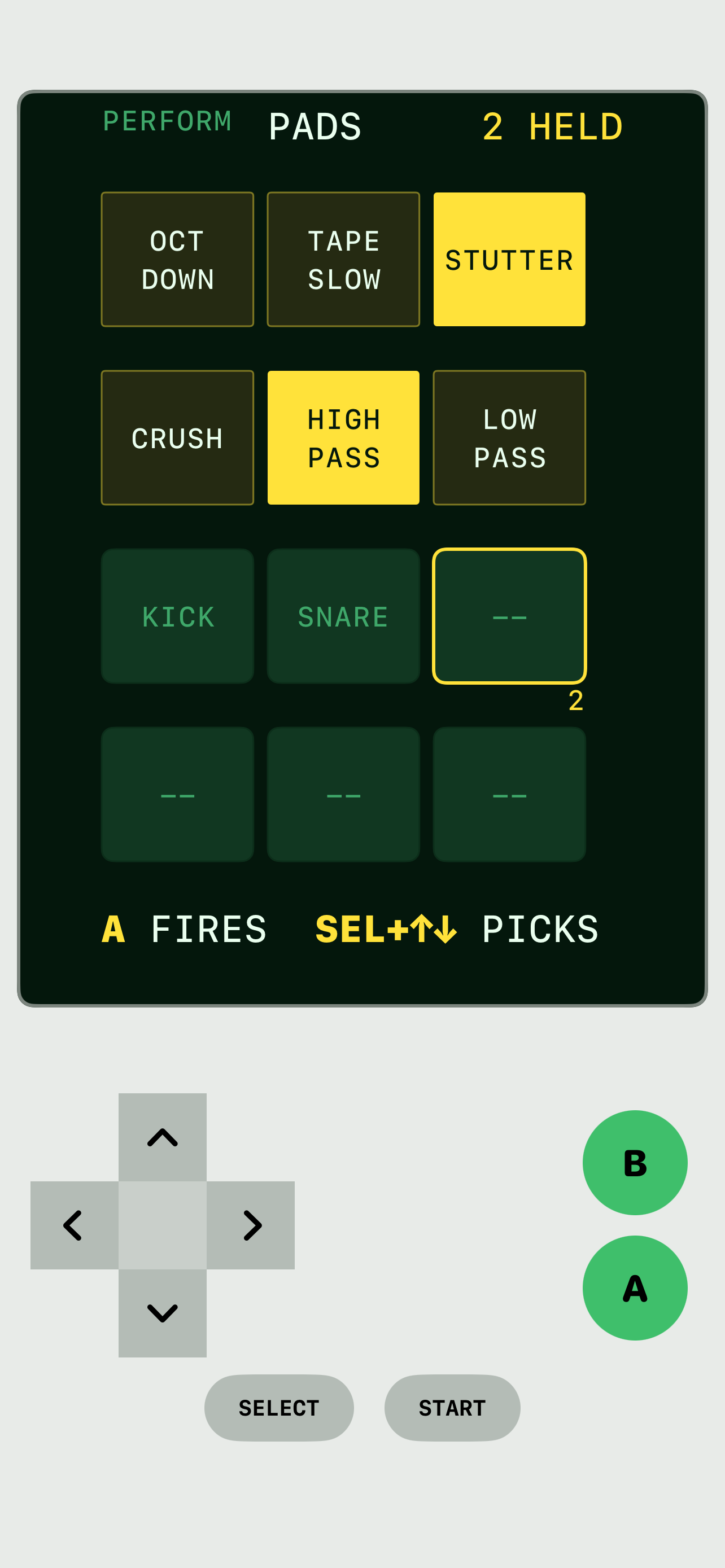
The PADS screen: a grid of punch-in effects and one-shot samples, two held.
PADS — twelve pads, held rather than latched.
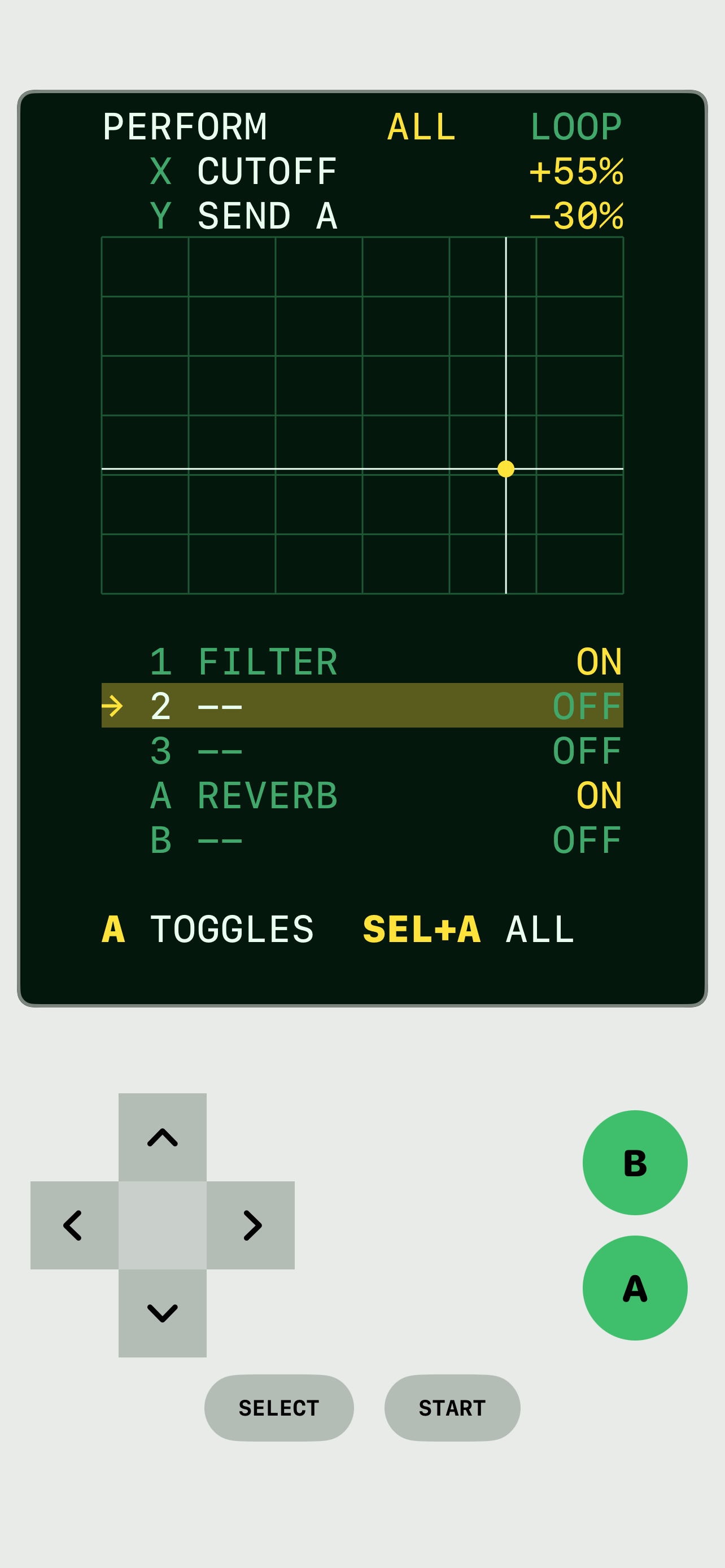
The PERFORM pad: an X/Y grid wiring cutoff and send to two axes, with effect slots.
PERFORM — two parameters on X and Y, every track at once.
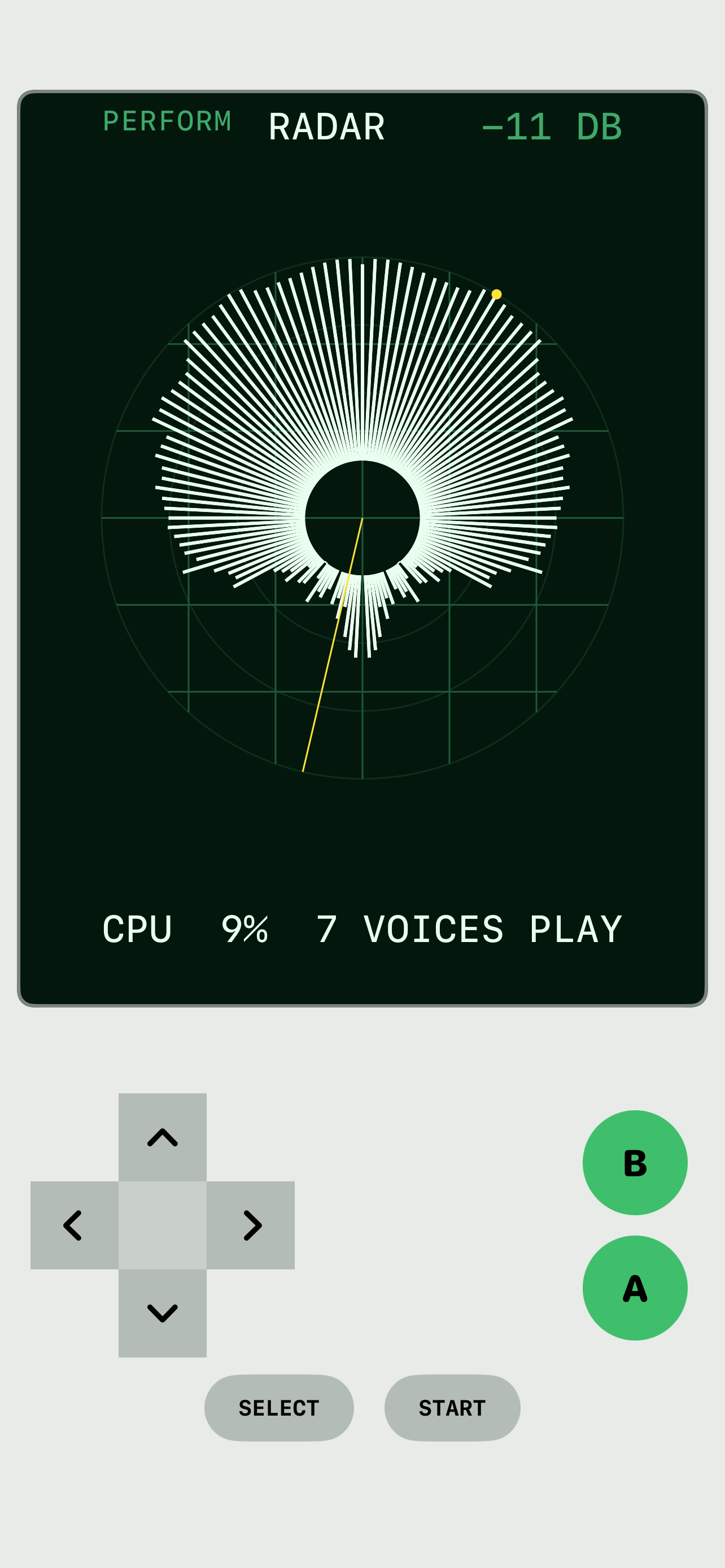
The RADAR visualiser: a frequency starburst sweeping the mix on the console screen.
RADAR — a sweep that reads the mix by frequency.

What it does

Everything, spelled out plainly

No feature here is a promise. All of it is true of the shipping app.

Write SONG

Phrases of sixteen rows, chains of phrases, and a song made of chains. Write a bassline once, place it four times at different transposes, change it later and every placement changes. Phrases can be shorter than sixteen rows, so 6/8 is as easy as 4/4.

Sound VOICE

A synth voice per track — saw, pulse with PWM, triangle, sine — through a resonant filter and an envelope. Or a sample, played whole or sliced. Wavetables. A chip voice. Per-tick tables for automation that runs faster than a row.

Sample SLOT

Import from anywhere on the phone or record straight into a slot from the microphone; MP3, AAC, M4A, AIFF and WAV are converted on the way in. Set a sample’s root note and fine tune so the keyboard tracks it. Split a drum loop into a sample per cut.

Mix DESK

Ten lanes on one screen — eight tracks and two send buses — with level, pan, mute and solo, and three effect slots each: filter, bitcrush and a tempo-synced delay. See the desk as numbers or as ten live traces.

Play PERFORM

A performance pad wires any two parameters to an X and a Y axis and moves every track at once. A grid of twelve pads: six punch-in effects (octave down, tape slow, stutter, bitcrush, high pass, low pass), held rather than latched, and six one-shot samples.

See RADAR

A radar sweep that reads the mix by frequency, a scope on the output, and six palettes.

And MIDI

MIDI in and out with clock. A Bluetooth game controller, mapped button by button. A count-in. A scale lock that keeps the note column inside a key. Export the whole arrangement to a WAV. Songs, samples and exports all live in the Files app.

Why it feels different

An instrument with buttons, not an app with menus

Played with your thumbs

Every operation is a chord you can play with your thumbs, so your hands learn it the way they learn an instrument. The whole manual is inside the app.

No accounts, no subscriptions, no network

The app contains no networking code at all. It collects nothing. Everything you make is a file you own on your phone.